my journey with editing remote file with local nvim
content
background
i tried to use local neovim to edit files (codebases) on remote server, why
- i jumped between servers a lot
- code needs to be run on remote servers (system config, hardware, etc)
some title
- initially thought it’s easy: just need to scp the diff to remote server and run there
- stuff like git might be an issue?
- i used vscode’s ssh plugin for a few times, and due to how seamless and smooth that experiece was, i just thought it’s not rocket science
- did some research on 21 March, found out that
sshfsis the best bet, but installed quite a bit of other stuff (meson, ninja, libfuse, signify) in order to make it work, which still didn’t work. - eventually i realized how much stuff vscode is doing(poor guy getting more thumb-downs and ups) to an innocent remote server, and neovim probably needs to do something similar.
- gave up on the idea, decided to just install neovim on remote server and try to do most of the code editing locally. the remote servers i use are mostly in the same region as i physically am. the latency is most of the time negligible
- i was fine with just editing and pushing locally, pulling and running on remote
- until today, when i had to find a fast way to edit code locally and run on remote, i faced this issue again. this time i don’t really wanna do push and pull and have a long commit history with potentially
test: change this,test: revert that
options
-
at first i thought simply
rsyncorscpwill do, turned out they couldn’t. -
from my research back in March, and from my research today (surprisingly and sadly i didn’t find anything new today), they all point me to these two resorts:
nvim scp://user@host//path/to/dirsshfs
-
the first option works, the latency was not that bad when i had a quick try just now. but comes with a unignorable pain:
fzfandtelescopunavailable (is there a chance to make them work, by some magic configs?). only nativenetrwis working out of the box, which works, but is way less than idea (is ther ea chance to make it work, by some magic configs?) -
the second option, well, still reminds me of my failed attempt months ago. but luckily, without spending an hour finding a solution this time, this answer offers a workable solution. so that this time, i failed faster.
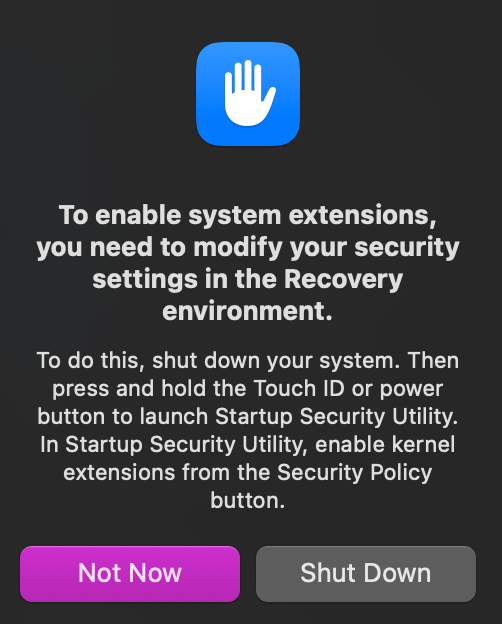
- im probably not allowed to modify this setting on a company’s laptop. i have no choice but kindly reject this option and the lecture from HR, or worse, security department potentially comes with it.
- but remote-sshfs.nvim seems really promising if i can get it to work
-
all these shenanigans left me with my simplest and most immature idea to its own device, i started once again looking back at it and thought maybe scp is the way to go.
-
well but not really scp, i’ll use
rsyncin this context. it does the job, i hope, with a few requirements to fulfill:- sync only diff
- sync on command, or even automatically with intervals
- ignore some files like
venv
-
where it might be challenged:
- more manual config needed for remote, like setting up for
venv - works well with a standalone codebase without external dependencies. anything networking related might just be completely messed up. (apis accessible locally but not on remote machine)
- more manual config needed for remote, like setting up for
-
asked cluade to help me vibe code a script for this
rsyncprototype, we shall see how well it works