todo
v2
- header level support, now header is just
<h> - continuous line,
- footnote
- multi-level list
- ordered list: different labeling, from number to letters etc
others
- front matter
- links with
^
context switch
issues
how to split blocks
- split by double new lines (
\n\n)? - or by single new lines (
\n)?
double new lines
this is a list:
- list
not a list
for the above example, its html should be:
<p>this is a list:</p>
<ul>
 <li>list</li>
</ul>
<p>not a list</p>
if we split by \n\n, we wouldn’t get this html
it’s tempting to say “every \n should result in a block”, but that way, the following 2 lines:
this is a line without trailing space
this line should be in the same line as the previous one
will become 2 blocks, when it should actually be one. if they are split into 2 blocks, it’d be very hard to join them back.
single new lines
quartz is able to turn ^no-trailing-line-and-list into <p></p><ul></ul>. so let’s just follow this standard.
if we split by \n\n, even this wouldn’t work:
# hi
## hello
if we wanna split by \n, aka, reading input markdown line by line, how to deal with multi-line blocks like code, quoteblock
we can do something like:
- read line by line, check
line_typealong the way. - need to maintain a
statefor current block, (current_block_type?) - if current
line_typeis the same as last line, join them - otherwise they’re separate blocks
i kinda think this is stupid?
double + single
-
still do it with
\n\n, split the whole input markdown into blocks first -
then check in each block, if there’s a
\n, we check whatever following the\n, see if it’s still the same block- if yes, keep the block type
- but how to do code block?
- otherwise separate them
- if yes, keep the block type
other ways?
html concepts
- different “boxes” appeared in the web page
- this is a block:
<h1>This is a markdown file</h1>Inline: - different word style within a block
- this is an line
<p>and a paragragh with <i>italics</i> and <b>bold</b></p>
html concepts to OOP concepts
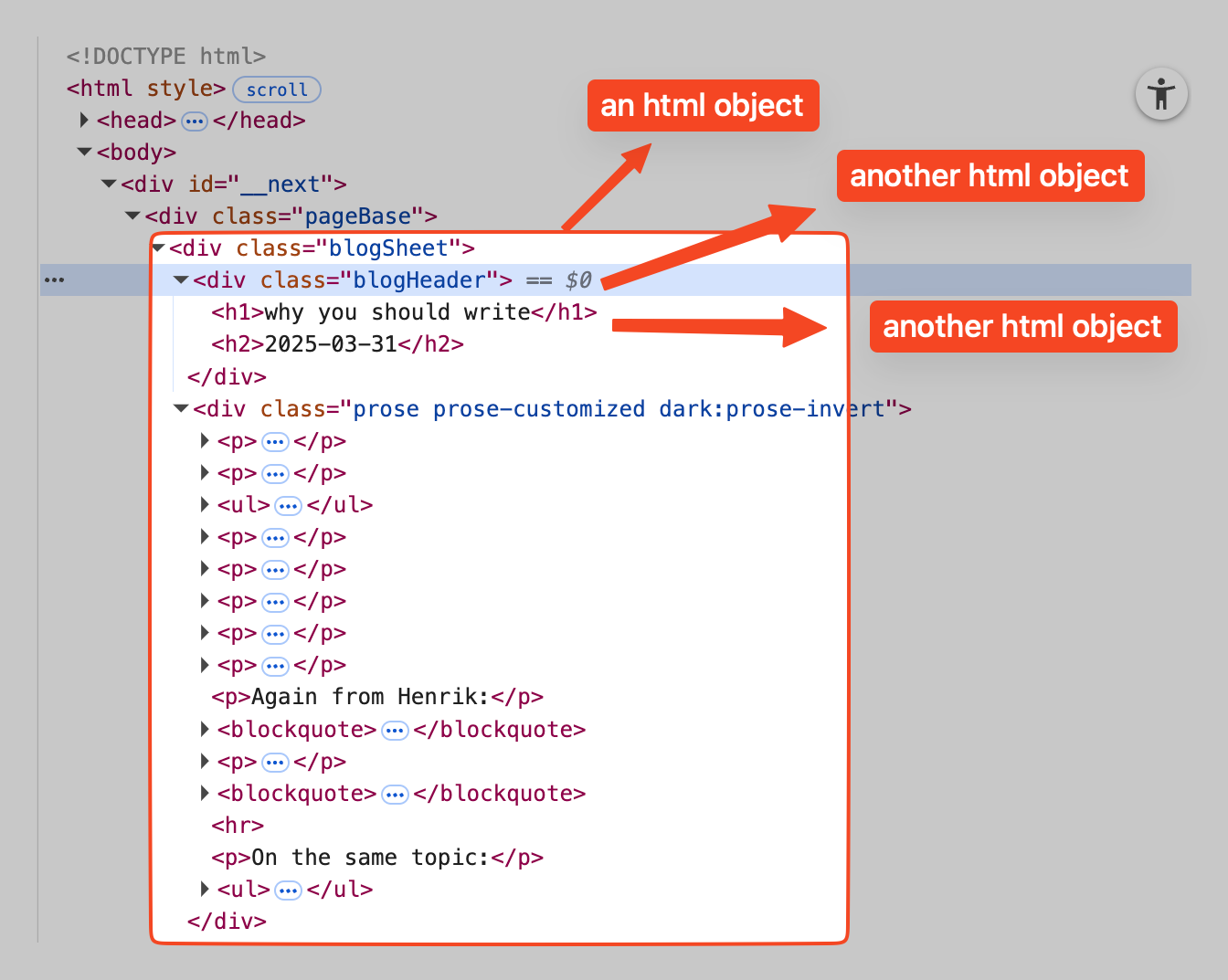 different nodes:
TextNodeHTMLNodeLeftNodeParentNode
conversion process
start: a markdown .md file, which contains multiple lines:
# This is a markdown file

## with title

and a paragragh (trailing spaces)
and some **bold** formatting and even `inline code` and
\`\`\`code blocks
code blocks
\`\`\`

> with quotes
> that spans multiple lines
end: html file:
<h1>This is a markdown file</h1>
<h2>with title</h2>
<p>and a paragragh</p>
...
first step
break down original files, which is just a multi-line string; convert that input string into different blocks: we have ^md-text and we want:
blocks are just a list of strings:
[
 "# This is a markdown file",
 "## with title",
 "and a paragragh and some **bold** formatting and even `inline code` and",
 ...
]
md_to_blocks(string):
- input: a single string
- output: a list of string
note
-
in a paragraph, if a line ends with more than 2 trailing spaces
- it indicates a line break. 2 trailing spaces should be removed and a
\nshould be appended to the end of it - if no more than 2 trailing spaces, this line and the next line should be the same line; strip this line, append a space, and let the next line join this line.
- it indicates a line break. 2 trailing spaces should be removed and a
-
but in a list, it should always put the next item to new line, regardless of trailing spaces:
- list item 1
- list item 2
second step
decide block_type for each block, it’s decided by the starting element of a block:
#/##: hashtags with a space → heading>: left arrow bracket with a space → quote- triple backticks: code blocks
- nothing: paragraph
- …
associate
blocks, which islist of strings:Transclude of #blocks
with their types
function: block_to_block_types
third step
convert blocks to TextNodes
TextNode is the smallest element in a string:
TextNode:
 text
 text_type
 url
^text-node for example:
This is a markdown filewill becomeTextNode("this is a markdown file", normal_text, None)- the
block_typefor thisstringisheading, but the text itself is anormal_text
- the
this is a text with **bold** and _italics_ and [link](https://url)will be broken down to a list ofTextNodes:
[
 TextNode("this is a text with ", normal_text, None),
 TextNode("bold", bold_text, None),
 TextNode(" and ", normal_text, None),
 TextNode("italics", italics_text, None),
 TextNode(" and ", normal_text, None),
 TextNode("link", link_text, "https://url"),
]
fourth step
convert list of TextNodes to HTMLNodes
we wanna turn ^list-of-text-nodes
into their HTMLNode form, in this case, all of the TextNodes are still leaves:
[
 LeafNode(no_tag "this is a text with ", no_children, no_props),
 LeafNode("b", "this is a text with ", no_children, no_props),
 ...
]
fifth step
construct LeafNodes into hierarchy of HTMLNodes, leading to one single HTMLNode
Note
we are not dealing with nested format, e.g.,
__bold and *italics*__right now
we bundle list of LeafNodes into 1 HTMLNode, since from html’s perspective, they are all under the same block, then we get an HTMLNode with a list of children, with each HTMLNode corresponding to a block in the final html page:
HTMLNode(
 block_type,
 text,
 children=[
  LeafNode(no_tag "this is a text with ", no_children, no_props),
  LeafNode("b", "this is a text with ", no_children, no_props),
  ...
 ],
 props,
)
sixth step
so far, we have converted a .md file (a long multiline string) into blocks (list of string), assigned each block with their block_type, and broken down each block to a list of TextNodes, which is then converted to LeafNodes - finally, from text to something related to html!
and after the last step where we bundled LeafNodes into 1 single HTMLNode, we now have 1 HTMLNode for 1 block on the html page.
this step is to bundle individual blocks into one html page, in other words, bundle all HTMLNodes into one.
drawing
ssg-workflow.excalidraw
⚠ Switch to EXCALIDRAW VIEW in the MORE OPTIONS menu of this document. ⚠ You can decompress Drawing data with the command palette: ‘Decompress current Excalidraw file’. For more info check in plugin settings under ‘Saving’
Excalidraw Data
Text Elements
this is a line without trailing spaces line with trailing spaces.
- item 1 with trailing spaces.
- item 2 without
Link to originaldef this_is_code () # don't_format ``` ^ZCgG46Vv > quote line with trailing spaces. > quote line without ^Q4OIOv8f markdown file ^FOMrB2YY blocks ^u0mbSX4X this is a line without trailing spaces ^Dmeq1h5J line with trailing spaces. ^J8sT2G6B block: block_type paragraph ^MKERZPq1 lines ^cim8vVgn split by \n\n ^1kOuSUyt split by \n ^wbHnjN04 - item 1 with trailing spaces. ^GrSDMNus - item 2 without ^3af2U5th block: block_type unordered_list ^0QovG2ys deal with trailing spaces based on block type ^U2eOoij1 remove "- ", "> ", "```", etc based on block type ^3LHCVoY8 other operations ^xD7Bb0mX line formatting ^vnAvghes formatted lines[list] ^cfDwInQY break down each line into text nodes ^fvPq0DCr code block is just one text node ^wHW8X91R TextNodes[list] ^m90r2Eao LeafHTMLNode ^MEmiPFWl ParentHTMLNode ^I79Djb3L
ToDos
- nested format
__bold and *italics*__ - footnote
- link to and display another block with
^annotation
others
stupid thoughts:
- why can’t i just use regex? e.g., replace all
**something**with<b>something</b>?
how does quartz deal with \n, say if i have \n in a paragraph, would it be printed out? or would a new line be create
deal with different level of list:
- now in
format_quoteit’s doingline = line.lstrip(), not gonna work
- test
 - test
- test
if there’s a delimiter in url, we’re screwed.